




Automatic detection · Shorts upload
Five minutes a week, shorts sorted Scheduled shorts bring subscribers in
A video goes up, we spot it and turn it into shorts for you.
Connect a channel and startAutomation level
Choose how far the automation goes
Choose how far it goes — just tell you, just make them, just pick them, or upload.
This is the real product UI. It may change in a future update.
You upload
- Just tell meWe let you know when a new long-form video goes up. You make the shorts.
- Up to makingWe make the shorts. Picking and uploading is yours.
- Up to pickingWe make the shorts and keep the good ones. Uploading is yours.
We upload
- Review, then uploadRecommendedReview the shorts we picked and we upload them at the time you set.
- Upload for meWe upload the shorts we picked at the time you set, no review needed.
@golmok_walk· Goes out today at 6 PM
Upload · Schedule
Set the days and time just once
Set where it goes and when, once. Every short you review then goes out to all three.
This is the real product UI. It may change in a future update.
Where it goes
- YouTube@golmok_walk
- TikTok@golmok.walk
- Instagram@golmok_walk
Upload time
Days
Time
- 10:30 AM
- 11:00 AM
- 11:30 AM
- 12:00 PM
- 12:30 PM
- 1:00 PM
- 1:30 PM
- 2:00 PM
From editor to manager
We do the editing. You just review
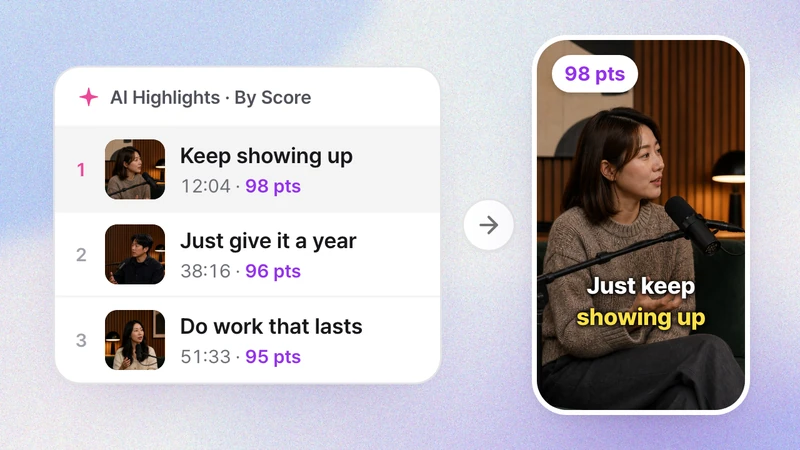
Cutting, captions and thumbnails are our job. Yours is the judgement.
Did it catch the highlight?
Check whether the part you care about made it in and whether the context of the video came through. You can save a shared prompt for it.
Is the wording right?
Every industry has phrases to avoid and names to get right. If a short needs a change, drop it in To review and leave the reason as a note.
Which platforms should it go to?
Shorts cut from the same long-form video suit different channels depending on the section. You decide where each one goes.
Frequently asked questions
What to check before you connect a channel.
Videos uploaded as 'Public' after you connect the channel are in scope. Add the 'Source check' step to your automation and you set the length range yourself (1 minute minimum, 1 minute to 2 hours by default). Without that step, videos of 3 minutes or less are skipped. Videos classified as Shorts are not picked up. For videos that were already on the channel before you connected it, paste the link and run them directly.

Turn existing videos into shorts in minutes